Top AI Tools Every Web Designer Should Use in 2026
Discover the top AI tools every web designer should use in 2026 to create stunning websites faster, improve productivity, and stay ahead of the competition.
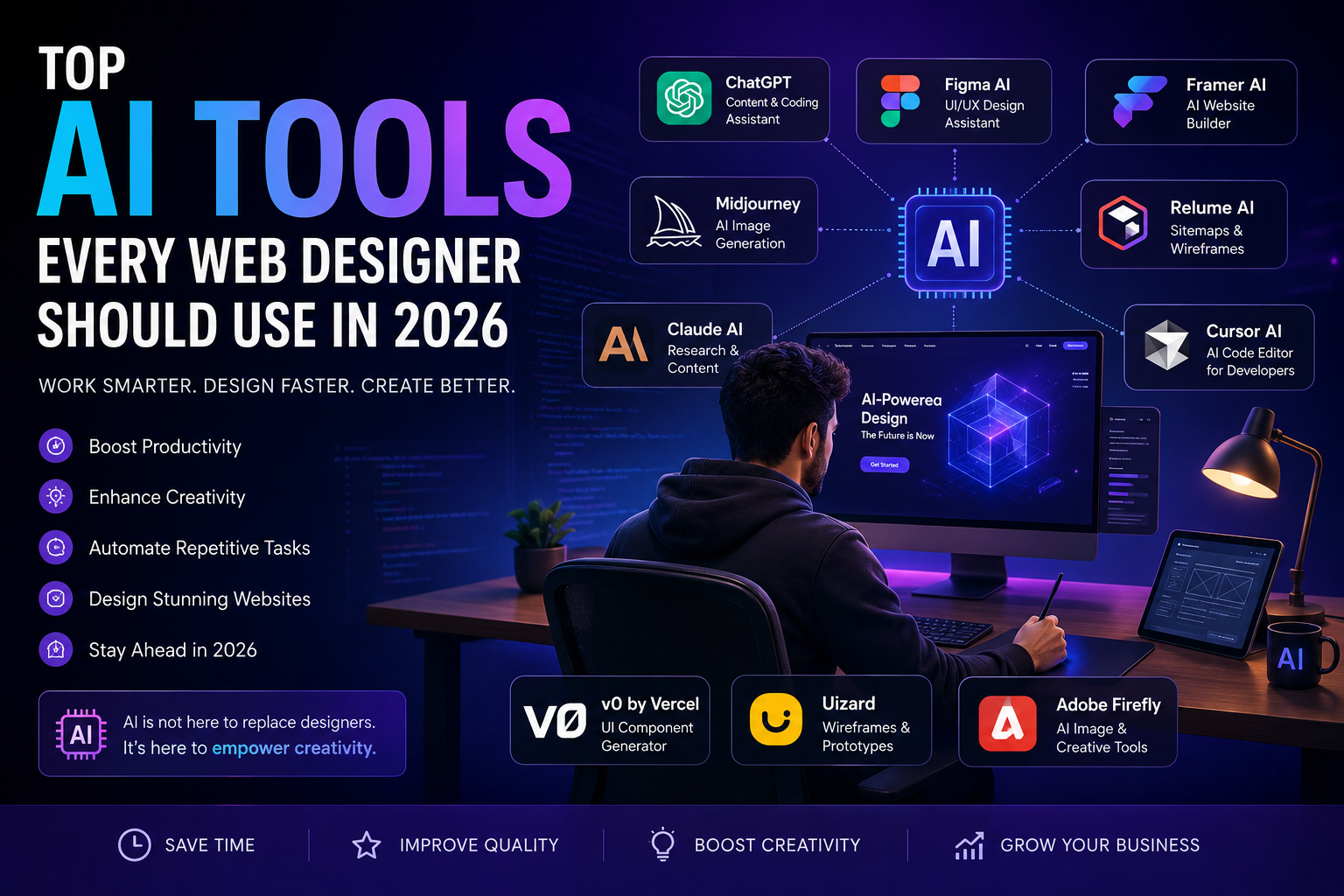
Artificial Intelligence (AI) is rapidly transforming the web design industry. What once required hours of manual work can now be completed in minutes with the help of AI-powered tools. From creating stunning website layouts to generating code, optimizing user experiences, and producing high-quality content, AI has become an essential part of every modern web designer's toolkit.
In 2026, businesses are demanding faster project delivery, better user experiences, and visually engaging websites. To stay competitive, web designers must leverage AI tools that streamline workflows and improve efficiency. Whether you are a freelance designer, agency owner, UI/UX specialist, WordPress developer, or frontend developer, adopting AI can significantly enhance your productivity and creativity.
As a professional web designer and WordPress developer, Bharat Zalavadiya has witnessed how AI is reshaping the way websites are planned, designed, and developed. The right AI tools can help designers focus on creativity while automating repetitive tasks.
This comprehensive guide explores the top AI tools every web designer should use in 2026 and how these tools can help create better websites, improve design workflows, and increase client satisfaction.
Why AI is Revolutionizing Web Design
The web design landscape has evolved dramatically over the past few years. AI is no longer a futuristic concept—it is now a practical solution used daily by professionals worldwide.
Key Benefits of AI for Web Designers 1. Faster Workflow
AI can automate repetitive tasks such as wireframing, content generation, image creation, and code suggestions. This allows designers to complete projects faster and focus on strategic decision-making.
2. Enhanced Creativity
AI tools provide design inspiration, color palette recommendations, layout suggestions, and content ideas that can spark creativity and help designers overcome creative blocks.
3. Better User Experience
Modern AI tools analyze user behavior and provide recommendations that improve navigation, accessibility, and overall user satisfaction.
4. Improved Productivity
Tasks that previously took hours can now be completed in minutes. This allows designers to handle more projects and increase profitability.
5. Cost Efficiency
Businesses can reduce development costs by automating certain processes while maintaining high-quality results.
1. ChatGPT – The Ultimate AI Assistant for Web Designers
When discussing AI tools for web designers in 2026, ChatGPT deserves the top position. It has become one of the most versatile and widely used AI platforms in the world.
Web designers use ChatGPT for:
Generating website content Writing SEO-optimized blog posts Creating UX copy Generating HTML, CSS, and JavaScript code Brainstorming design concepts Writing client proposals Debugging code issues Why Designers Love ChatGPT
One of the biggest advantages of ChatGPT is its ability to understand context and provide intelligent suggestions. Designers can quickly generate content for landing pages, service pages, blogs, and marketing campaigns without spending hours writing manually.
For example, if a client needs a homepage for a healthcare website, ChatGPT can instantly generate professional headlines, call-to-action sections, and service descriptions.
Pros Saves significant time Excellent content generation Helpful coding assistance Easy to use Suitable for freelancers and agencies Cons Requires human review May generate generic content if prompts are weak Best Use Cases Website copywriting Blog creation SEO optimization Coding support Client communication
ChatGPT is undoubtedly one of the most valuable AI tools every web designer should have in their workflow in 2026.
## 2. Figma AI – Smarter UI/UX Design Creation
Figma has become one of the most popular design tools in the world, and with the introduction of Figma AI, the platform has become even more powerful. In 2026, designers are using Figma AI to create layouts, generate components, improve design systems, and speed up collaboration.
Figma AI can automatically generate interface suggestions based on your project requirements. Instead of building every section manually, designers can use AI to create landing pages, dashboards, mobile app screens, and website wireframes within minutes.
### Key Features
* AI-powered layout generation * Smart design suggestions * Automatic component creation * Content generation inside designs * Improved team collaboration
### Benefits for Web Designers
One of the biggest challenges designers face is maintaining consistency across projects. Figma AI helps by analyzing existing design systems and automatically applying consistent styles, spacing, and typography.
For agencies handling multiple clients, this can save dozens of hours every month.
### Best For
* UI/UX Designers * Product Designers * SaaS Dashboard Design * Mobile App Design * Website Prototyping
---
## 3. Framer AI – Build Websites with Prompts
Framer AI has completely changed the website creation process. Instead of designing everything from scratch, designers can describe what they want, and Framer AI generates a complete website layout.
For example:
"Create a modern SaaS landing page with a hero section, testimonials, pricing table, and FAQ."
Within seconds, Framer AI creates a professional design that can be customized further.
### Why Framer AI is Growing Fast
Businesses want websites launched quickly. Framer AI allows designers to move from idea to live website faster than traditional workflows.
### Key Features
* AI website generation * Responsive layouts * SEO-friendly pages * No-code editing * Fast deployment
### Pros
* Extremely fast * Easy customization * Great for startups * Responsive by default
### Cons
* Complex projects still need manual work * Limited compared to custom development
---
## 4. Midjourney – The Future of Design Creativity
Visual content is one of the most important aspects of modern websites. Midjourney helps designers generate unique, high-quality images that can be used for hero sections, marketing campaigns, blogs, and branding.
Instead of searching through stock image websites, designers can create completely custom visuals tailored to their projects.
### Why Designers Love Midjourney
Stock photos often look generic. Midjourney solves this by generating original artwork that aligns perfectly with a brand's identity.
### Use Cases
* Website Hero Images * Custom Illustrations * Product Mockups * Marketing Graphics * Brand Concepts
### Benefits
* Saves money on stock photography * Creates unique visuals * Improves branding * Generates creative concepts quickly
---
## 5. Relume AI – Instant Website Planning
Before a website can be designed, it needs proper planning. Relume AI helps designers create website structures, page hierarchies, content sections, and wireframes within minutes.
Traditionally, planning a medium-sized website could take several hours. Relume AI reduces this process dramatically.
### Features
* AI Sitemap Generation * Website Planning * Wireframe Creation * Content Suggestions * Team Collaboration
### Why It Matters
Planning is often overlooked, but it is one of the most important stages of web design. Relume AI ensures projects start with a strong foundation.
---
## 6. Claude AI – The Research Powerhouse
Claude AI is becoming a favorite among designers who need detailed content, user research, and documentation.
Compared to many other AI tools, Claude excels at handling long-form information and understanding complex contexts.
### How Designers Use Claude AI
* UX Research * Competitor Analysis * Website Content Planning * Customer Journey Mapping * Technical Documentation
### Advantages
* Handles large amounts of information * Excellent writing quality * Strong analytical capabilities * Helpful for strategy development
---
## 7. Cursor AI – Every Frontend Developer's Secret Weapon
Cursor AI is quickly becoming one of the most powerful coding assistants available.
For web designers who also write code, Cursor AI can dramatically improve productivity.
### What Cursor AI Can Do
* Generate HTML * Generate CSS * Generate JavaScript * Create React Components * Fix Bugs Automatically * Explain Code
### Why It Matters
Frontend developers often spend hours troubleshooting code issues. Cursor AI can identify problems and suggest fixes within seconds.
This leads to:
* Faster development * Better code quality * Reduced debugging time * Improved productivity
---
## 8. v0 by Vercel – AI-Powered UI Generation
v0 by Vercel has become a game-changing tool for designers and developers.
Using simple prompts, users can generate professional UI components instantly.
### Examples
Prompt:
"Create a pricing section with three cards and monthly/yearly toggle."
v0 generates production-ready code almost instantly.
### Benefits
* Faster prototyping * React-ready code * Modern design standards * Developer-friendly workflow
For designers working with React and Next.js projects, v0 is quickly becoming an essential tool.
---
## 9. Uizard – Turn Ideas into Designs Instantly
Uizard focuses on simplifying the design process.
Designers can sketch an idea and convert it into a working digital prototype.
### Features
* AI Wireframes * Mobile App Prototypes * Website Mockups * Team Collaboration * User Testing Support
### Why It Stands Out
Many businesses need prototypes before approving budgets. Uizard helps designers present ideas quickly and professionally.
---
## 10. Adobe Firefly – Creative AI for Modern Designers
Adobe Firefly is Adobe's AI-powered design platform.
It integrates directly with Photoshop, Illustrator, and other Adobe products.
### Features
* AI Image Generation * Background Removal * Graphic Creation * Text Effects * Brand Asset Generation
### Benefits
* Professional-quality visuals * Faster content creation * Seamless Adobe integration * Time-saving automation
---
# AI Will Not Replace Web Designers
One of the biggest misconceptions about AI is that it will replace web designers.
The reality is quite different.
AI is best viewed as an assistant rather than a replacement.
While AI can generate layouts, write code, and create content, it still lacks:
* Human creativity * Strategic thinking * Emotional understanding * Brand storytelling * Business insights
Successful designers in 2026 are those who combine human expertise with AI efficiency.
The future belongs to designers who learn how to use AI effectively rather than compete against it.
---
# Final Thoughts
Artificial Intelligence is transforming every aspect of web design. From content creation and coding assistance to image generation and UX research, AI tools are helping designers work smarter than ever before.
Tools like ChatGPT, Figma AI, Framer AI, Midjourney, Relume AI, Claude AI, Cursor AI, v0 by Vercel, Uizard, and Adobe Firefly are no longer optional—they are becoming essential for staying competitive.
As a professional web designer and developer, Bharat Zalavadiya believes that AI should be embraced as a productivity partner rather than feared as a replacement. The designers who adopt these technologies today will be the ones leading the industry tomorrow.
If you're serious about improving your web design workflow, increasing productivity, and delivering better results for clients, start exploring these AI tools today and stay ahead in the rapidly evolving digital landscape of 2026.
## 2. Figma AI – Smarter UI/UX Design Creation
Figma has become one of the most popular design tools in the world, and with the introduction of Figma AI, the platform has become even more powerful. In 2026, designers are using Figma AI to create layouts, generate components, improve design systems, and speed up collaboration.
Figma AI can automatically generate interface suggestions based on your project requirements. Instead of building every section manually, designers can use AI to create landing pages, dashboards, mobile app screens, and website wireframes within minutes.
### Key Features
* AI-powered layout generation * Smart design suggestions * Automatic component creation * Content generation inside designs * Improved team collaboration
### Benefits for Web Designers
One of the biggest challenges designers face is maintaining consistency across projects. Figma AI helps by analyzing existing design systems and automatically applying consistent styles, spacing, and typography.
For agencies handling multiple clients, this can save dozens of hours every month.
### Best For
* UI/UX Designers * Product Designers * SaaS Dashboard Design * Mobile App Design * Website Prototyping
---
## 3. Framer AI – Build Websites with Prompts
Framer AI has completely changed the website creation process. Instead of designing everything from scratch, designers can describe what they want, and Framer AI generates a complete website layout.
For example:
"Create a modern SaaS landing page with a hero section, testimonials, pricing table, and FAQ."
Within seconds, Framer AI creates a professional design that can be customized further.
### Why Framer AI is Growing Fast
Businesses want websites launched quickly. Framer AI allows designers to move from idea to live website faster than traditional workflows.
### Key Features
* AI website generation * Responsive layouts * SEO-friendly pages * No-code editing * Fast deployment
### Pros
* Extremely fast * Easy customization * Great for startups * Responsive by default
### Cons
* Complex projects still need manual work * Limited compared to custom development
---
## 4. Midjourney – The Future of Design Creativity
Visual content is one of the most important aspects of modern websites. Midjourney helps designers generate unique, high-quality images that can be used for hero sections, marketing campaigns, blogs, and branding.
Instead of searching through stock image websites, designers can create completely custom visuals tailored to their projects.
### Why Designers Love Midjourney
Stock photos often look generic. Midjourney solves this by generating original artwork that aligns perfectly with a brand's identity.
### Use Cases
* Website Hero Images * Custom Illustrations * Product Mockups * Marketing Graphics * Brand Concepts
### Benefits
* Saves money on stock photography * Creates unique visuals * Improves branding * Generates creative concepts quickly
---
## 5. Relume AI – Instant Website Planning
Before a website can be designed, it needs proper planning. Relume AI helps designers create website structures, page hierarchies, content sections, and wireframes within minutes.
Traditionally, planning a medium-sized website could take several hours. Relume AI reduces this process dramatically.
### Features
* AI Sitemap Generation * Website Planning * Wireframe Creation * Content Suggestions * Team Collaboration
### Why It Matters
Planning is often overlooked, but it is one of the most important stages of web design. Relume AI ensures projects start with a strong foundation.
---
## 6. Claude AI – The Research Powerhouse
Claude AI is becoming a favorite among designers who need detailed content, user research, and documentation.
Compared to many other AI tools, Claude excels at handling long-form information and understanding complex contexts.
### How Designers Use Claude AI
* UX Research * Competitor Analysis * Website Content Planning * Customer Journey Mapping * Technical Documentation
### Advantages
* Handles large amounts of information * Excellent writing quality * Strong analytical capabilities * Helpful for strategy development
---
## 7. Cursor AI – Every Frontend Developer's Secret Weapon
Cursor AI is quickly becoming one of the most powerful coding assistants available.
For web designers who also write code, Cursor AI can dramatically improve productivity.
### What Cursor AI Can Do
* Generate HTML * Generate CSS * Generate JavaScript * Create React Components * Fix Bugs Automatically * Explain Code
### Why It Matters
Frontend developers often spend hours troubleshooting code issues. Cursor AI can identify problems and suggest fixes within seconds.
This leads to:
* Faster development * Better code quality * Reduced debugging time * Improved productivity
---
## 8. v0 by Vercel – AI-Powered UI Generation
v0 by Vercel has become a game-changing tool for designers and developers.
Using simple prompts, users can generate professional UI components instantly.
### Examples
Prompt:
"Create a pricing section with three cards and monthly/yearly toggle."
v0 generates production-ready code almost instantly.
### Benefits
* Faster prototyping * React-ready code * Modern design standards * Developer-friendly workflow
For designers working with React and Next.js projects, v0 is quickly becoming an essential tool.
---
## 9. Uizard – Turn Ideas into Designs Instantly
Uizard focuses on simplifying the design process.
Designers can sketch an idea and convert it into a working digital prototype.
### Features
* AI Wireframes * Mobile App Prototypes * Website Mockups * Team Collaboration * User Testing Support
### Why It Stands Out
Many businesses need prototypes before approving budgets. Uizard helps designers present ideas quickly and professionally.
---
## 10. Adobe Firefly – Creative AI for Modern Designers
Adobe Firefly is Adobe's AI-powered design platform.
It integrates directly with Photoshop, Illustrator, and other Adobe products.
### Features
* AI Image Generation * Background Removal * Graphic Creation * Text Effects * Brand Asset Generation
### Benefits
* Professional-quality visuals * Faster content creation * Seamless Adobe integration * Time-saving automation
---
# AI Will Not Replace Web Designers
One of the biggest misconceptions about AI is that it will replace web designers.
The reality is quite different.
AI is best viewed as an assistant rather than a replacement.
While AI can generate layouts, write code, and create content, it still lacks:
* Human creativity * Strategic thinking * Emotional understanding * Brand storytelling * Business insights
Successful designers in 2026 are those who combine human expertise with AI efficiency.
The future belongs to designers who learn how to use AI effectively rather than compete against it.
---
# Final Thoughts
Artificial Intelligence is transforming every aspect of web design. From content creation and coding assistance to image generation and UX research, AI tools are helping designers work smarter than ever before.
Tools like ChatGPT, Figma AI, Framer AI, Midjourney, Relume AI, Claude AI, Cursor AI, v0 by Vercel, Uizard, and Adobe Firefly are no longer optional—they are becoming essential for staying competitive.
As a professional web designer and developer, Bharat Zalavadiya believes that AI should be embraced as a productivity partner rather than feared as a replacement. The designers who adopt these technologies today will be the ones leading the industry tomorrow.
If you're serious about improving your web design workflow, increasing productivity, and delivering better results for clients, start exploring these AI tools today and stay ahead in the rapidly evolving digital landscape of 2026.