The Ultimate Guide to AI Prompts for WordPress Developers in 2026 (150+ Prompts)
The complete 2026 guide to AI prompts for WordPress developers: 150+ ready-to-use prompts for coding, SEO, GEO, design, debugging and viral content, plus frameworks, tool comparisons and real workflows.
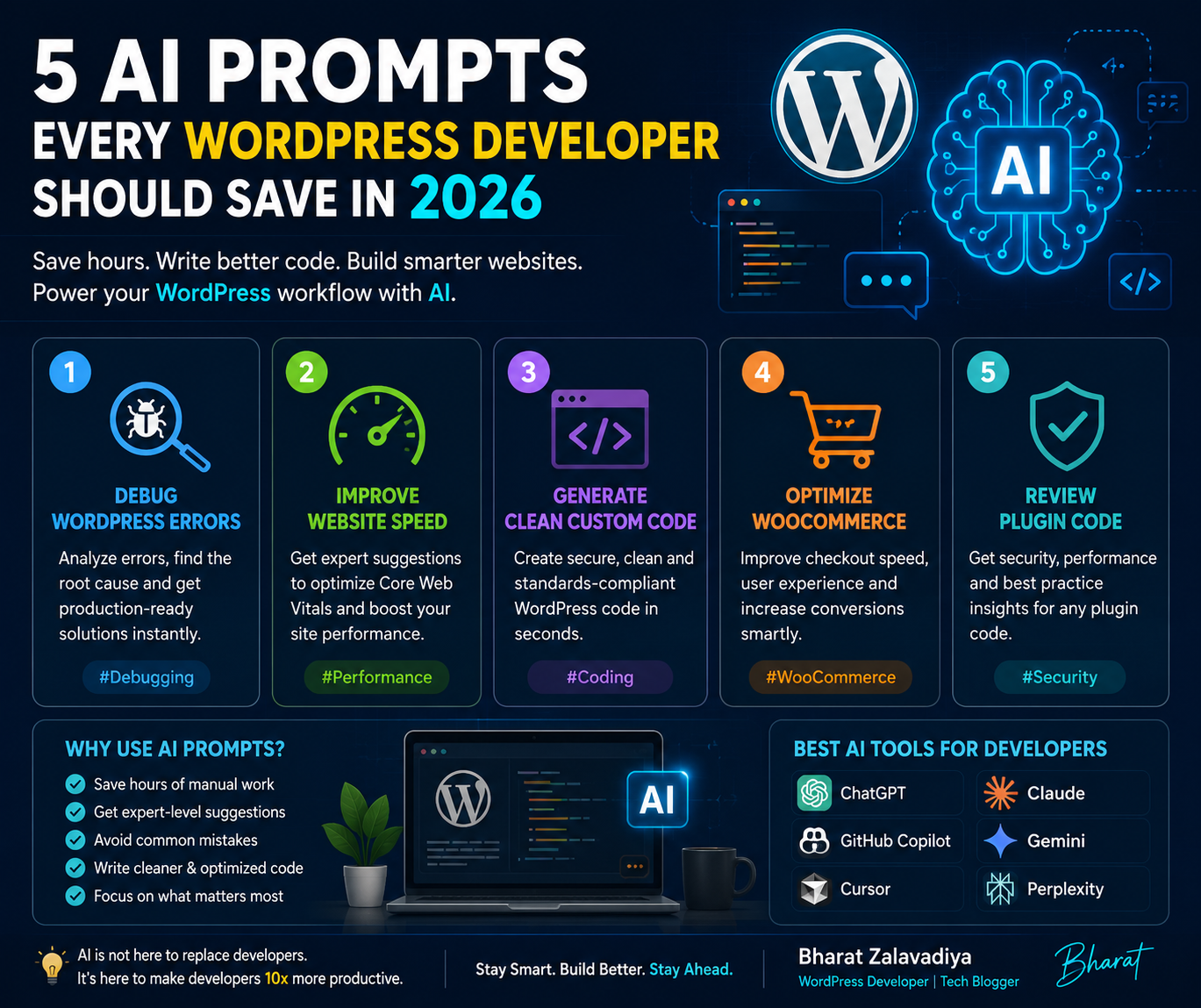
Last updated: July 2026 | Reading time: ~38 minutes | 150+ ready-to-use prompts inside
If you build, design, or grow WordPress websites in 2026, AI prompts are no longer optional extras — they are the core interface between your brain and the tools that write your code, draft your content, and shape your rankings. This is the deepest, most practical guide you will find on the topic: a complete prompt library, a repeatable framework for writing your own prompts, real workflows, and a breakdown of exactly how to make AI-assisted WordPress content rank on Google and get picked up by AI answer engines like ChatGPT, Gemini, and Claude.
This guide is long on purpose. Bookmark it, skim the table of contents, and come back to the section you need. By the end, you will have a working prompt system you can reuse on every WordPress project you touch.
WordPress development in 2026 looks nothing like it did even two years ago. Prompt-to-website generation,
AI-assisted Gutenberg blocks, and machine-readable site structures are now a normal part of the daily
workflow. Developers who write precise, well-structured prompts consistently ship cleaner code, spend
less time debugging, and produce content that ranks in both traditional search and AI-generated answers.
The gap between developers who "use AI" casually and developers who have a real prompt system is now
measurable in delivery speed. A generic prompt like "write me a WordPress plugin" produces generic,
often broken results that need heavy rework. A specific, context-rich prompt gives you production-ready
code in a fraction of the time, with fewer security holes and fewer rounds of back-and-forth. Three forces are pushing this shift: None of this means developers are being replaced. It means the developers winning more projects, shipping
cleaner builds, and scaling without burnout are the ones who know how to direct AI with precision
instead of fighting it with vague instructions. This guide is built to make you one of them.1. Why AI Prompts Matter for WordPress Developers in 2026
To understand why prompt skill matters so much today, it helps to see how fast the landscape moved. Developers used ChatGPT and early Copilot mostly as a search engine replacement — asking for code
snippets, explanations, and quick fixes copied manually into the WordPress editor. AI SEO plugins were
basic, mostly suggesting keywords. AI moved into the WordPress admin itself. Page builders like Elementor and site builders like 10Web
introduced AI layout generation. AI writing assistants became embedded directly in the block editor.
Developers started chaining prompts together instead of using one-off questions. This is where things changed fundamentally. Prompt-to-website generation became a real starting point for
new builds — a developer can type a complex prompt describing a full e-commerce site and get a
provisioned WooCommerce setup, custom Gutenberg blocks, and draft copy in minutes. WordPress introduced
the Abilities API, allowing AI agents like ChatGPT and Claude to interact with a site's data directly.
Generative Engine Optimization (GEO) emerged as a discipline of its own, sitting alongside traditional
SEO. And AI-assisted plugin review cut approval times in the plugin directory to under seven days. The practical result: prompting is no longer a side skill. It is the primary interface for a large share
of WordPress development, content, and optimization work, and developers who treat it casually are
falling behind developers who treat it as a craft.2. The Evolution of AI in WordPress: 2023 to 2026
2023 to 2024: The Chatbot Era
2024 to 2025: The Assistant Era
2025 to 2026: The Agentic and Machine-Readable Era
Before jumping into the prompt library, learn this four-part framework. It is the difference between
prompts that need three rounds of correction and prompts that work on the first try. Weak: "Write me a WordPress plugin for events." Strong (C.O.D.E. applied): "Context: I'm building a custom plugin for a WordPress 6.8
site using PHP 8.2, no page builder, following WordPress coding standards. Objective: Create a
lightweight events plugin that registers a custom post type called 'event' with a custom taxonomy
'event-category', and displays upcoming events sorted by date on the front end. Details: Use proper
sanitization and escaping, register everything through an init hook, and make all strings
translation-ready with a text domain of 'my-events'. Format: Give me a single-file plugin with clear
section comments, followed by a short explanation of how to extend it." Notice the second version leaves almost no room for the AI to guess. That is the entire point of the
framework — remove ambiguity, and you remove most of the rework.3. The WordPress Prompt Framework (C.O.D.E. Method)
Weak Prompt vs. Strong Prompt
These prompts work with GitHub Copilot, Claude, ChatGPT, or Claude Code for hands-on development work.
Each one follows the C.O.D.E. structure and can be copy-pasted and customized with your own project
details in the bracketed placeholders.4. AI Prompts for WordPress Coding and Plugin Development
4.1 Custom Post Types and Taxonomies
- "Write a WordPress custom post type registration function for [content type] with custom taxonomies for [taxonomy names], following WordPress coding standards and using a proper text domain for translation."
- "Generate a custom post type with support for custom fields, featured images, and Gutenberg editor, including a custom REST API base for headless use."
- "Create a taxonomy term meta system that stores an icon and a color for each term in [taxonomy name], with an admin UI to edit them."
- "Write a function that automatically assigns a default taxonomy term to new posts of type [post type] on publish, if no term is selected."
Why these work: Custom post types are one of the most common WordPress development tasks, and AI tools have seen thousands of examples of correct implementations. The risk is outdated patterns (like using deprecated `add_object_page` parameters). Always add "for WordPress 6.7+ using current best practices" to your prompt to avoid legacy code.
4.2 REST API and Headless WordPress
- "Create a secure WordPress REST API endpoint that returns [data] as JSON, includes a permission callback, and sanitizes all input parameters."
- "Write a custom REST API route that accepts a POST request with [fields], validates each field, and stores the data as a custom post type entry."
- "Generate authentication middleware for a headless WordPress REST API using JWT, including token refresh handling."
- "Explain and implement CORS handling for a WordPress REST API that will be consumed by a Next.js frontend hosted on a different domain."
4.3 WooCommerce Development
- "Create a WooCommerce hook that adds a custom field to the checkout page, saves it to order meta, and displays it in the admin order screen."
- "Write a function that applies a dynamic discount to the WooCommerce cart based on [condition], using the woocommerce_cart_calculate_fees hook."
- "Generate a custom WooCommerce email template that is triggered when an order status changes to [status]."
- "Create a WooCommerce product add-on that lets customers upload a file during checkout, with file type and size validation."
- "Write a script that syncs WooCommerce inventory with an external API every hour using WP-Cron, with error logging."
4.4 Plugin Architecture and Database
- "Write a WordPress plugin activation hook that creates a custom database table for [purpose], with proper use of dbDelta and $wpdb->prefix."
- "Design the file and folder structure for a mid-size WordPress plugin with an admin settings page, a public-facing shortcode, and a REST endpoint, following WordPress plugin best practices."
- "Write an uninstall.php script that safely removes all custom tables, options, and post meta created by [plugin name] when a user deletes the plugin."
- "Generate a WordPress settings API implementation for a plugin options page with a text field, a checkbox, and a select dropdown."
4.5 Refactoring and Code Quality
- "Refactor this WordPress function to follow the WordPress PHP coding standards and add proper docblocks: [paste code]."
- "Review this plugin code for compatibility with PHP 8.3 and flag any deprecated function usage: [paste code]."
- "Convert this procedural WordPress plugin code into an object-oriented structure with a main plugin class and separate handler classes."
- "Add PHPUnit test coverage for this WordPress function, including edge cases for empty input and invalid post IDs: [paste code]."
Across all of these, one habit separates good developers from great ones in 2026: they never paste AI output straight into production. They ask a follow-up prompt — "review this for security issues before I use it" — as a mandatory second step.
Design work has shifted from writing raw CSS to describing structure and intent, especially inside block
themes and Full Site Editing (FSE). When prompting for design, always specify "no inline CSS" or "using only theme.json and block supports"
if that is your constraint — otherwise AI tools default to generating custom stylesheets, which can
conflict with your existing design system.5. AI Prompts for Theme and Gutenberg Block Design
AI-powered SEO plugins now analyze competitors and predict keyword trends automatically, but these
prompts help you direct that process with real strategic intent instead of letting a plugin make
decisions blindly.6. AI Prompts for WordPress SEO in 2026
6.1 Keyword and Intent Research
- "Analyze this WordPress blog post draft and suggest primary and secondary keywords based on search intent for [topic]: [paste content]."
- "List 10 long-tail keyword variations for [topic] that reflect conversational, voice-search style queries."
- "Classify these keywords by search intent (informational, navigational, transactional, commercial): [paste keyword list]."
- "Suggest a content cluster of 8 supporting blog post ideas around the pillar topic [topic], each targeting a distinct long-tail keyword."
6.2 On-Page Optimization
- "Write an SEO meta title (under 60 characters) and meta description (under 155 characters) for a WordPress page about [topic], optimized for the keyword [keyword]."
- "Rewrite this WordPress product description to improve readability score and include the keyword [keyword] naturally: [paste text]."
- "Suggest an internal linking structure for a WordPress site with these existing pages: [list pages], to strengthen topical authority around [core topic]."
- "Review this article's heading structure and suggest improvements so each H2 targets a distinct sub-keyword: [paste headings]."
- "Generate descriptive, keyword-relevant alt text for these image file names and their page context: [list file names and context]."
6.3 Technical and Structured Data SEO
- "Generate schema markup (JSON-LD) for a WordPress [Article/Product/FAQ/HowTo] page targeting [topic]."
- "Suggest a URL slug structure for a WordPress site selling [product type], optimized for both SEO and user clarity."
- "Write an XML sitemap priority and change-frequency strategy for a WordPress site with [number] pages across [content types]."
- "Identify likely Core Web Vitals bottlenecks for a WordPress site using [page builder/theme] and suggest fixes ranked by impact."
One important 2026 shift: AI helps predict emerging keyword trends through predictive analytics, letting site owners target topics before competitors do. Use a prompt like "based on current WordPress and web development discussion trends, what topics are likely to see rising search interest in the next 3 months?" as a standing monthly habit, not a one-time task.
GEO is the 2026 evolution of SEO. Traditional SEO focuses on keywords and backlinks to rank in search
engine results pages. GEO focuses on making your content the preferred source for AI-generated answers —
the thing ChatGPT, Gemini, or Claude actually cites or recommends when someone asks a related question.
It prioritizes data clarity and machine-readability so AI agents recommend your content or services over
competitors.7. AI Prompts for GEO (Generative Engine Optimization)
7.1 Why GEO Is Different From SEO
| Factor | Traditional SEO | GEO |
|---|---|---|
| Primary goal | Rank high in search results pages | Get cited or recommended in AI-generated answers |
| Core signal | Keywords, backlinks, click-through rate | Clarity, structure, factual density, direct answers |
| Content shape | Long-form pages built around a keyword | Quotable, self-contained answer blocks with clear structure |
| Structured data role | Helps rich snippets | Helps AI agents parse and trust facts directly |
| Success metric | Rankings, organic traffic | Citation frequency, brand mentions in AI answers |
7.2 GEO Prompts
- "Rewrite this section into a direct, quotable answer format (2 to 3 sentences) that an AI assistant could cite when answering the question: [question]."
- "Convert this WordPress FAQ section into valid FAQPage schema markup so AI systems can parse it as structured data."
- "Review this blog post and identify where I should add clear definitions, bullet-point summaries, or comparison tables to improve machine-readability."
- "Suggest how to restructure this page's headings so each H2 answers one clear question, improving its chances of being cited by AI search engines."
- "Write a concise, fact-dense summary paragraph for this article that could stand alone as an AI-generated answer snippet."
- "Identify any vague or unsupported claims in this content that would reduce an AI system's confidence in citing it as a source: [paste content]."
- "Generate a list of 5 questions this article should explicitly answer in a dedicated FAQ section, based on what people commonly ask about [topic]."
- "Suggest how to add author expertise signals (experience, credentials, first-hand examples) to this WordPress post to strengthen E-E-A-T for both SEO and GEO."
In practice, GEO and good SEO reinforce each other. Clear structure, direct answers, and genuine expertise help you rank in Google and get cited by AI systems at the same time. The mistake to avoid is optimizing so heavily for keyword density that your content becomes vague and unquotable — that hurts GEO specifically.
Content is still king, but AI is now the strategist behind it. Instead of guessing what works, you can
use AI to analyze angles, structure, and hooks before you write a single paragraph.8. AI Prompts for Blog and Viral Content Creation
8.1 Ideation and Angles
- "Generate five headline variations for a WordPress blog post about [topic], each with a different angle (how-to, listicle, comparison, question, statistic-led)."
- "Suggest 10 blog post ideas for a WordPress agency blog that would appeal to small business owners choosing a website platform in 2026."
- "What is a contrarian but defensible angle on [topic] that most WordPress blogs are not covering?"
- "Turn this bland blog topic into a curiosity-driven headline without using clickbait exaggeration: [topic]."
8.2 Drafting
- "Create a blog post outline for '[topic]' targeting WordPress developers, with H2/H3 structure optimized for both SEO and GEO."
- "Write an introduction paragraph for a WordPress tutorial on [topic] that states the reader's problem and promises a clear outcome in the first two sentences."
- "Summarize this WordPress documentation page into a beginner-friendly explanation, avoiding jargon: [paste content]."
- "Write three call-to-action variations for the end of a WordPress plugin landing page, each targeting a different visitor intent (trial, purchase, learn more)."
- "Expand this bullet point outline into a full section with examples and a short case study: [paste outline]."
8.3 Editing and Polishing
- "Edit this blog post for clarity and remove filler phrases without changing the meaning: [paste content]."
- "Check this article for repeated words or overused transition phrases and suggest alternatives: [paste content]."
- "Rewrite this paragraph so it reads like it was written by someone with hands-on WordPress development experience, not a generic AI summary: [paste paragraph]."
- "Suggest where this article should include a personal example, a screenshot, or a real number to increase credibility."
The single biggest mistake developers make with AI content prompts is stopping at the first draft. AI is excellent at structure and speed, weak at genuine originality and voice. Always run a second pass focused on adding real experience, specific numbers, and opinions the AI could not have generated on its own — that is also what separates content that ranks from content that gets flagged as generic.
9. AI Prompts for Debugging, Security and Performance
Single prompts solve single problems. Real WordPress projects need chained prompts — a sequence where
each output becomes the next input. This is how experienced developers use AI to go from idea to shipped
feature in one session. This chained approach consistently outperforms a single giant prompt because each step stays focused, the
AI has less room to hallucinate unrelated details, and you get natural checkpoints to review and correct
course. The same pattern works for content: outline, draft, SEO pass, GEO pass, final edit — five
focused prompts beat one prompt asking for a "perfect finished 10000 word article."10. Advanced Prompt Chaining and Multi-Step Workflows
Example Chain: Building a Custom Booking Feature
11. Common Mistakes When Prompting AI for WordPress
No single tool covers everything well. The strongest 2026 workflow pairs a reasoning-focused AI (Claude
or ChatGPT) for planning and content with an in-editor coding assistant (Copilot or Claude Code) for
implementation, and a dedicated AI SEO plugin for ongoing optimization.12. Best AI Tools to Pair With These Prompts (2026 Comparison)
Tool
Best For
Where It Fits
Claude / Claude Code
Custom coding, plugin architecture, long-form content, debugging
In-editor and chat-based development, content drafting
ChatGPT
Ideation, SEO/GEO strategy, quick code snippets
Research and planning phase
GitHub Copilot
In-editor autocomplete while writing plugin and theme code
VS Code, JetBrains, Neovim during active coding
Elementor AI / 10Web AI Builder
Generating full page layouts and site structures from prompts
Early-stage design and rapid client mockups
Telex
Generating native Gutenberg blocks from natural language
Custom block development without deep JS knowledge
AI SEO plugins
Automated meta tag generation, keyword tracking, content scoring
Ongoing on-page SEO maintenance
Consider a realistic scenario: a client needs a WordPress site for a local physiotherapy clinic, with
service pages, an appointment request form, and a blog meant to rank locally and get cited by AI
assistants when people ask about physiotherapy in their area. Prompt: "Context: local physiotherapy clinic, single location, WordPress with a block theme. Objective:
outline a full site structure including pages, a blog content plan for the first 3 months, and a lead
capture strategy. Format: a structured outline with page names and purposes." Chained prompts generate the appointment request custom post type, the front-end form with validation,
and the email notification system, following the C.O.D.E. framework from Section 3. Each blog post goes through the ideation, drafting, SEO, and GEO prompt sequence from Sections 8 and 7 —
including an FAQ section with schema markup on every service page, since local, question-based queries
are exactly where GEO citation matters most. Before launch, the debugging and security prompts from Section 9 are run against every custom form and
query, and the Core Web Vitals prompt is used to catch performance issues before the client sees them.
The result of this workflow is not a site built entirely "by AI" — it is a site built by a developer
using AI as a force multiplier at every stage, with human review as the final gate at each step. That
combination is what actually ships reliable, rankable, client-ready work in 2026.13. Case Study: Building a Client Site Start to Finish With AI Prompts
Step 1: Planning
Step 2: Build
Step 3: Content
Step 4: Review
A few directions are already visible on the horizon and worth preparing for now: The developers best positioned for what comes next are the ones building a genuine prompt system today,
not just copy-pasting one-off answers.15. What's Next: WordPress and AI Beyond 2026
16. Frequently Asked Questions
What are AI prompts for WordPress developers?
AI prompts for WordPress developers are structured instructions given to AI tools like ChatGPT, Claude, or GitHub Copilot to generate WordPress-specific code, content, SEO strategy, or design elements such as custom post types, Gutenberg blocks, plugins, and theme functions.
How is GEO different from SEO for WordPress sites in 2026?
Traditional SEO ranks content in search engine results using keywords and backlinks. GEO, or Generative Engine Optimization, focuses on making content clear and structured enough that AI systems like ChatGPT, Gemini, and Claude cite or recommend it directly as an answer.
Which AI tools work best with WordPress in 2026?
In 2026, WordPress developers commonly combine GitHub Copilot or Claude Code for custom coding, Elementor AI and 10Web for layout generation, and dedicated AI SEO plugins for content and metadata optimization.
Can AI prompts replace WordPress developers?
No. AI prompts speed up repetitive tasks like boilerplate code, layout drafts, and content outlines, but developers are still needed to review output, ensure security, optimize performance, and align the final build with business goals.
How many AI prompts does a WordPress developer actually need?
Most developers only need a core library of 20 to 30 well-tested prompts covering coding, debugging, SEO, and content, then adapt them per project rather than memorizing hundreds of one-off prompts.
Does AI generated WordPress content rank on Google in 2026?
Yes, AI generated content can rank on Google in 2026 if it is edited for accuracy, demonstrates real experience and expertise, is well structured, and adds genuine value beyond what already exists.
What makes WordPress content go viral in 2026?
Viral WordPress content in 2026 usually combines a strong specific hook, a scannable structure with clear takeaways, original data or examples, an emotional or curiosity driven angle, and easy shareability across short-form video and social platforms.
Is prompt engineering a real skill for WordPress developers?
Yes. Prompt engineering has become a practical skill for WordPress developers in 2026 because precise, context rich prompts directly reduce debugging time, improve code quality, and speed up content and SEO workflows.
AI prompts are not a shortcut around WordPress skill — they are a multiplier on top of it. The developers
thriving in 2026 are not the ones who type the most prompts; they are the ones who prompt with
precision, chain their workflows, and always keep a human review pass before anything ships to a client
or goes live on Google. Start small: pick five prompts from this guide that match your current project, run them through the
C.O.D.E. framework, and build your own personal prompt library from there. Save the ones that work,
refine the ones that don't, and treat this guide as a living reference you return to as WordPress and AI
keep evolving together.17. Conclusion and Next Steps
13. Hashtags and Keywords for Promotion
Primary Hashtags (High Volume):
#AI2026 #GPT5 #Claude4 #Gemini3 #ArtificialIntelligence #MachineLearning #ChatGPT #OpenAI #Anthropic #GoogleAI
SEO and Content Marketing Hashtags:
#SEO2026 #GEO #ContentMarketing #DigitalMarketing #AIContentWriting #LLM #GenerativeAI #AITools #SearchEngineOptimization #AIMarketing
Developer and Tech Hashtags:
#Dev #AIForDevelopers #Coding #SoftwareEngineering #ClaudeCode #Codex #LLMComparison #AIBenchmarks #Frontend #WebDev
Social and Trending Hashtags:
#TechTwitter #AINews #FutureOfWork #AIRevolution #TechBlog #UIUXDesign #ProductivityHacks #StartupLife #Innovation #TechTrends2026
14. About the Author
Bharat Zalavadiya
🚀 Web Designer | 💻 WordPress Developer | Shopify Designer | UI/UX Expert | HTML, CSS, Figma, Elementor, Email Templates
I'm Bharat Zalavadiya, a Web Designer, WordPress Developer, Frontend Developer, and UI/UX Designer with 5+ years of experience creating professional websites and digital experiences.
Over the years, I have worked with 200+ businesses worldwide, helping them establish a strong online presence through custom website design, WordPress development, responsive frontend solutions, and user-focused interfaces.
My goal is simple: build websites that not only look great but also generate real business results.
My work blends visual design, frontend development, and practical business thinking. I care about how a site looks, how it performs, and how easy it is for a visitor to take the next step.
Portfolio | LinkedIn | GitHub | X (Twitter) | Instagram
Published by: Bharat Zalavadiya — bharatsuideveloper.vercel.app
Last Updated: July 6, 2026
Tags: #AI2026 #GPT5 #Claude4 #Gemini3 #SEO #GEO #LLM #ArtificialIntelligence #DigitalMarketing #ContentMarketing #UIUXDesign #BharatZalavadiya #ZalavadiyaBharat #zalavadiya #WordPress #Zala #IT #ai