Figma Motion: Everything You Need to Know About Figma's New Motion Design Feature in 2026
Discover Figma Motion, the latest feature from Figma that brings powerful animation and motion design directly into your workflow. Learn its features, benefits, use cases, and how it compares with other animation tools.
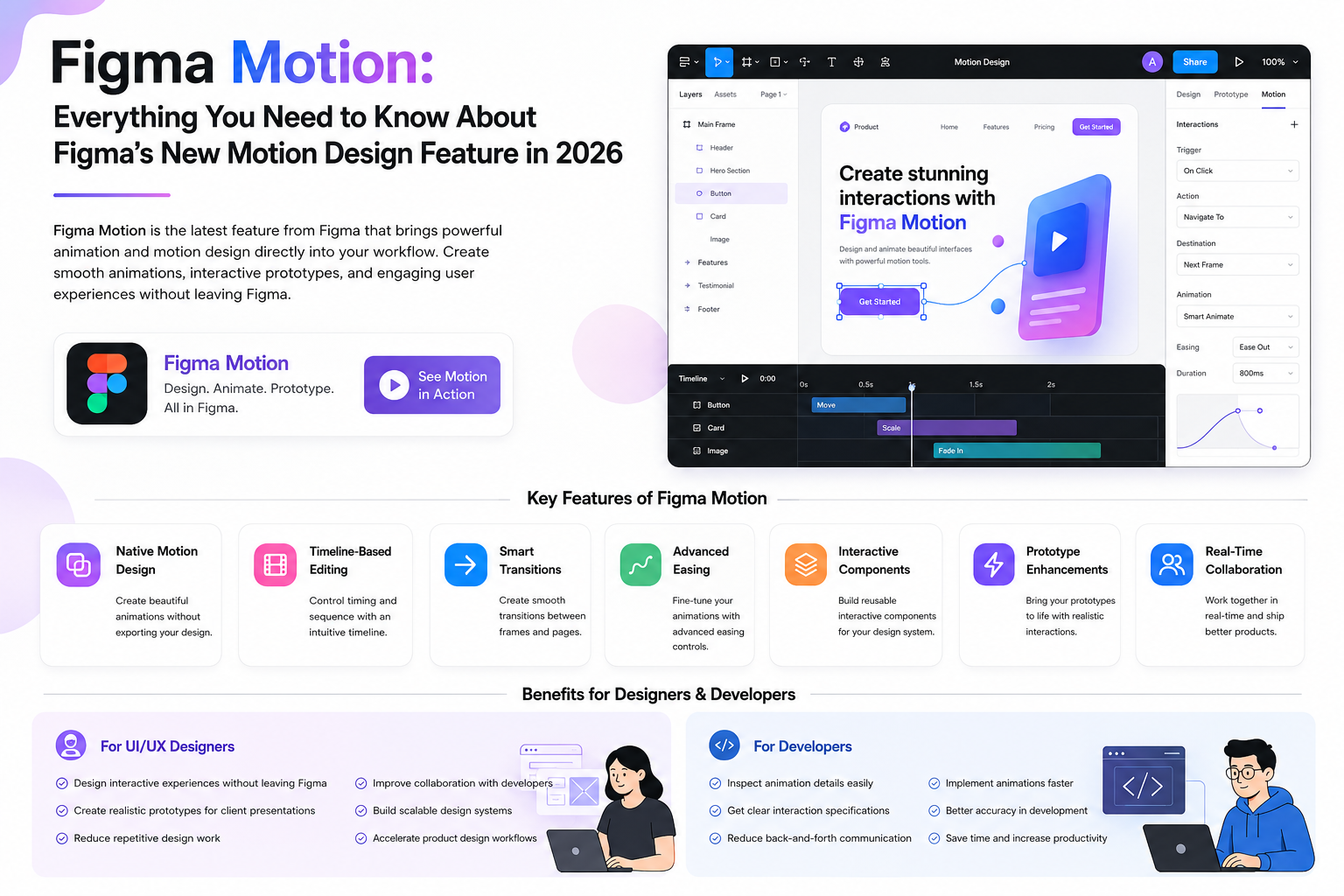
Figma Motion is a new feature built to simplify motion design inside Figma. It enables designers to create smooth animations, interactive prototypes, component transitions, and engaging product experiences directly within the design environment. Instead of exporting designs into third-party animation software, teams can now create, preview, and iterate on animations without leaving Figma. This significantly improves collaboration between designers, developers, and product teams while reducing the time required to build production-ready user experiences. What is Figma Motion?
Why Did Figma Launch Motion?
Modern websites and applications depend heavily on animations to create delightful user experiences.
Whether it's a hover effect, loading animation, onboarding flow, or page transition, motion has become an essential part of digital product design.
Until now, designers typically relied on external animation software to create these interactions. This often resulted in fragmented workflows, communication gaps, and longer production cycles.
Figma Motion solves these challenges by bringing professional motion design capabilities into a single collaborative platform.
Key Features of Figma Motion
Native Motion Design
Create beautiful animations without exporting your designs to another application.
Timeline-Based Editing
Control animation timing using a visual timeline, making it easy to adjust durations, delays, and sequences.
Interactive Components
Design reusable interactive components that behave consistently across multiple screens and prototypes.
Advanced Easing Controls
Customize acceleration and deceleration curves for smoother, more natural animations.
Prototype Enhancements
Transform static wireframes into realistic, interactive prototypes suitable for user testing and stakeholder presentations.
Real-Time Collaboration
Designers, developers, and product managers can collaborate on motion design in real time without exporting assets or sharing separate files.
Why Figma Motion Matters
Motion design is no longer optional for modern digital products.
Animations help users understand interfaces, improve navigation, communicate feedback, and create memorable product experiences.
- Improves User Experience
- Increases User Engagement
- Creates Better Product Storytelling
- Enhances Accessibility
- Improves Brand Identity
- Reduces User Confusion
Figma Motion allows teams to integrate these improvements earlier in the product design process instead of waiting until development begins.
```html
Benefits of Figma Motion for UI/UX Designers
Figma Motion is more than just an animation tool—it transforms the way designers create interactive digital experiences. By integrating motion directly into the design workflow, designers can move from ideas to prototypes much faster while maintaining consistency across projects.
- Design interactive experiences without leaving Figma
- Create realistic prototypes for client presentations
- Reduce repetitive design work
- Improve collaboration with developers
- Build scalable design systems
- Accelerate product design workflows
- Reduce handoff errors
Instead of creating static mockups, designers can now demonstrate exactly how products will behave before development begins.
Benefits of Figma Motion for Frontend Developers
Developers often spend hours trying to understand how designers expect animations to work. Figma Motion provides detailed interaction specifications, reducing misunderstandings and speeding up development.
Developers can inspect:
- Animation Duration
- Delay
- Easing Functions
- Interaction States
- Hover Effects
- Component Transitions
- Navigation Flow
This results in faster implementation using CSS animations, JavaScript, React, Angular, Vue.js, and modern frontend frameworks.
Figma Motion vs Traditional Animation Tools
| Figma Motion | Traditional Animation Tools |
|---|---|
| Built directly inside Figma | Requires separate software |
| Real-time collaboration | Limited collaboration |
| Timeline-based editing | Different workflow |
| Shared Design Systems | Manual synchronization |
| Better Developer Handoff | Additional documentation required |
| Rapid Prototyping | Longer production workflow |
Who Should Use Figma Motion?
Figma Motion is designed for professionals across multiple industries.
- UI Designers
- UX Designers
- Product Designers
- Frontend Developers
- Web Designers
- WordPress Developers
- Shopify Developers
- Product Teams
- Design Agencies
- SaaS Companies
- Startups
- Enterprise Organizations
Best Use Cases for Figma Motion
Motion can be used across a wide variety of digital products.
- Landing Pages
- Portfolio Websites
- SaaS Dashboards
- Mobile Applications
- E-commerce Stores
- Marketing Websites
- Interactive Product Demos
- Design Systems
- Dashboard Interfaces
- Web Applications
How Figma Motion Improves SEO and User Experience
While animations do not directly improve Google rankings, better user experiences often lead to stronger engagement metrics.
Well-designed interactions can increase:
- User Engagement
- Average Session Duration
- Pages Per Visit
- Conversion Rate
- User Satisfaction
- Brand Trust
Businesses that combine excellent UI/UX with high-performance websites often achieve better long-term SEO results.
The Future of Motion Design
As AI continues transforming product design, motion will become an even more important part of digital experiences.
Future versions of Figma Motion may include AI-powered animation suggestions, automated interaction generation, intelligent component transitions, and personalized motion recommendations.
The future belongs to designers who understand both visual design and interactive user experiences.
Why Businesses Should Adopt Figma Motion
- Faster Design Workflow
- Lower Development Costs
- Improved Team Collaboration
- Better Product Demonstrations
- More Interactive User Experiences
- Higher Customer Satisfaction
- Faster Product Launches
Companies investing in modern design tools are able to deliver higher-quality digital products while reducing production time.
Continue Reading
If you're interested in UI/UX Design, WordPress Development, Shopify Development, AI, Frontend Development, and modern web technologies, explore more tutorials and articles on my website.
🌐 Portfolio & Blog:
https://bharatsuideveloper.vercel.app/
💼 LinkedIn:
https://linkedin.com/in/bharatzalavadiya/
💻 GitHub:
📸 Instagram (Professional):
https://www.instagram.com/bharat.uideveloper/
📸 Instagram (Personal):
https://www.instagram.com/zalavadiya.bharat.79/
🐦 X (Twitter):
For business inquiries, guest posts, website development, WordPress projects, Shopify development, UI/UX design, or frontend development collaborations, feel free to connect through my portfolio or LinkedIn.